
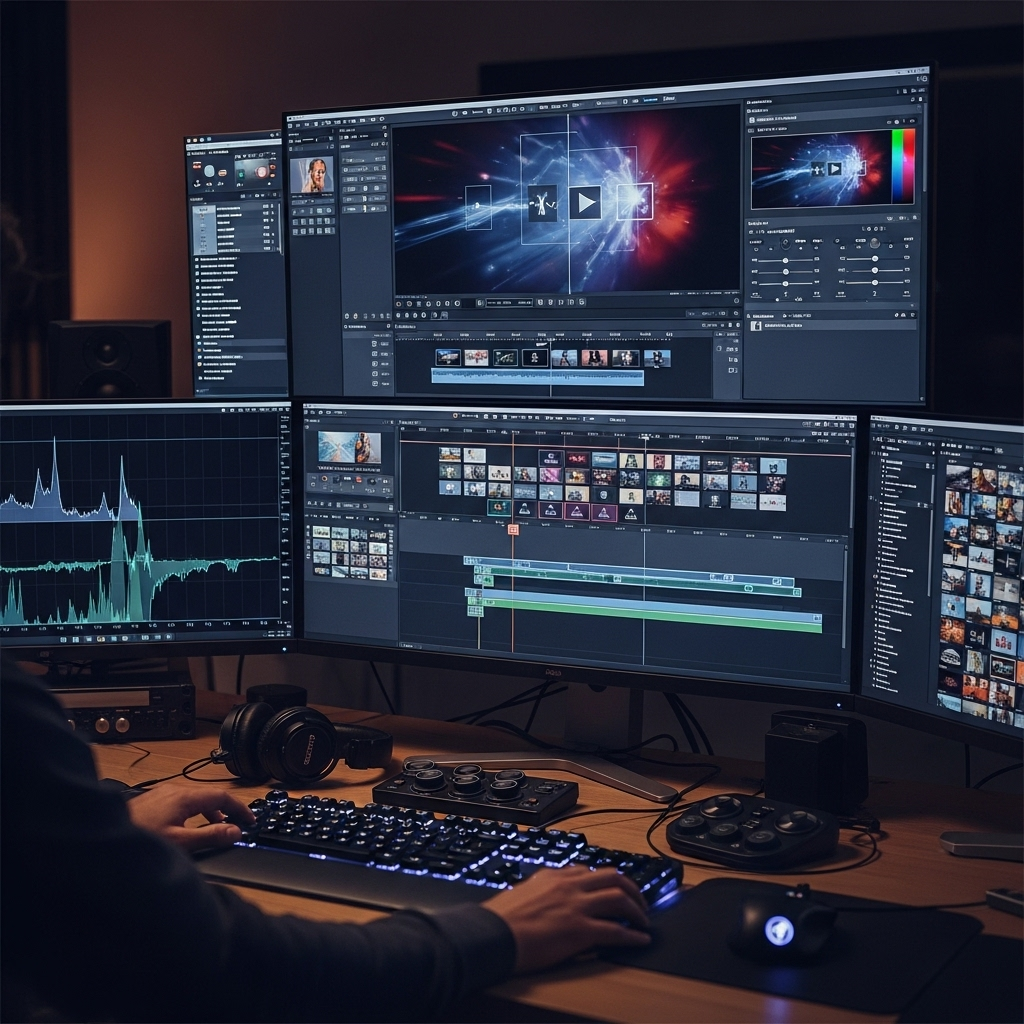
Turning a single photo into a moving clip used to require motion graphics software and hours of manual keyframing. As of July 2026, an image to video ai can do it in under a minute, no timeline required. I spent two weeks running the same set of test photos, a portrait, a product shot, and a landscape, through the ten platforms below to see which ones actually deliver usable, ready-to-post video. Here is what held up.
Quick Answer: The Best Image to Video AI Tools at a Glance
| Tool | Best For | Free Plan | Starting Paid Price | Standout Feature |
| Magic Hour | All-around creators, agencies, developers | Yes, no signup | $10/month (annual) | One place for Kling, Veo, Sora, and more, plus multi-step workflows |
| Runway | Filmmakers and VFX artists | 125 one-time credits | $12/month (annual) | Motion brush and director-level camera control |
| Pika | Fast, playful social clips | 80 credits/month | $8/month (annual) | Pikaffects for melt, explode, and object swap |
| Luma Dream Machine | Photorealistic single-image animation | 30 generations/month | $29.99/month | Sub-60-second Ray3 rendering |
| Kling AI | Motion fidelity and physics accuracy | 66 credits/day | $10/month | Strong native audio and camera control |
| PixVerse | Budget social content at volume | 90 + 60 daily credits | $10/month | High credit-to-dollar ratio for TikTok and Reels |
| Leonardo AI Motion | Teams already using Leonardo for images | 150 tokens/day | $12/month | Motion tied directly to first-party image models |
| Vidu | Anime-style animation and multi-character scenes | 30 to 80 credits/month | $10/month | Multi-Entity Consistency across reference images |
| Hailuo (MiniMax) | Fast turnaround, stylized motion | Limited daily credits | $9.99/month | Physics-accurate simulation, fastest render times |
| Kaiber | Musicians and audio-reactive visuals | 50 credits (no card) | $10/month | Audio-reactive animation synced to a track |
How I Chose These Tools
I tested each platform with the same three source images: a studio portrait, a flat-lay product photo, and a landscape shot, then wrote matching prompts across all ten tools to keep the comparison fair. I judged each one on five criteria: output quality (motion realism and how well the tool preserved the original image), speed from upload to finished MP4, price relative to what you actually get, ease of use for someone without editing experience, and whether the free tier was generous enough to judge the product before paying. I also cross-checked every price against each company’s live pricing page, since credit systems and plan names shift often in this category.
1. Magic Hour
Magic Hour is the clear standout in this list, and the tool I kept returning to across all three test images. As an image-to-video AI platform, it does not lock you into one proprietary model. Magic Hour gives you frontier models including Kling 2.5, Kling 3.0, Veo 3.1, Sora 2, LTX-2.3, Wan 2.2, and Seedance 2.0 inside a single subscription, so you pick the best model for the shot instead of settling for whatever one company built.
Pros:
- No signup required to try the tool; you can upload an image and generate a clip before creating an account
- Credits never expire once earned, so unused capacity does not vanish at the end of the month
- Access to seven-plus frontier video models in one place, from fast iteration models to cinematic, dialogue-capable ones
- Click-to-create templates and one-click multi-step workflows (generate, upscale, extend) cut down on manual busywork
- Parallel generations with no concurrency cap on paid plans, so you can test multiple takes at once instead of waiting in a queue
- Weekly feature releases and full API parity, meaning anything available in the app is also available through the API
- Optimized for both desktop and mobile use
Cons:
- Free tier caps you at three daily generations of three seconds each, which is enough to test the product but not to produce finished content
- Premium models like Sora 2 and Veo 3.1 require a paid plan and consume credits faster than the base LTX 2.3 model
If you want a tool that gives you real model choice instead of a single house style, this is hard to beat, and after two weeks I was still finding new templates and workflow shortcuts I had not tried yet.
Pricing: Free (3 daily generations, no signup). Creator: $15/month, or $10/month billed annually ($120/year). Pro: $39/month, with 300,000 credits per year and 1472px export. Business: $99/month, built for teams and agencies with 4K export and unlimited concurrent generations.
2. Runway
Runway has built a reputation among professional filmmakers and VFX artists who need granular control over motion, not just a single click-and-generate result.
Pros:
- Motion brush lets you animate specific regions of an image while leaving the rest static
- Advanced camera controls for pan, tilt, and zoom give shots a directed, intentional feel
- Access to Gen-4.5, Gen-4, Act-Two performance capture, and third-party models like Veo and Kling under one plan (Standard and above)
- Aleph video-editing tools go beyond generation into full clip editing
Cons:
- Credits burn quickly; the Standard plan’s 625 monthly credits translate to roughly 25 seconds of Gen-4.5 video
- The free plan’s 125 credits are a one-time grant, not a monthly refresh, so testing is short-lived
- The steeper learning curve compared to simpler upload-and-generate tools
Runway rewards the time you put into learning it, and for teams that need camera-level directorial control, that investment pays off. Unlike Magic Hour, Runway does not offer a true no-signup free trial, and its credit economy runs out faster than casual users expect.
Pricing: Free (125 one-time credits, watermarked). Standard: $15/month, or $12/month billed annually. Pro: $35/month, or $28/month billed annually. Unlimited: $95/month, or $76/month billed annually.
3. Pika
Pika (formerly Pika Labs) built its name on fast, playful video effects rather than photorealism, and that focus shows in both its strengths and its limits.
Pros:
- Pikaffects suite (melt, explode, inflate) creates transformations no other tool on this list replicates as easily
- Seven aspect ratio presets cover every major social platform without manual cropping
- Fast generation times, often under 90 seconds per clip
- Commercial use rights included from the lowest paid tier
Cons:
- Output quality trails Runway and Sora in photorealism, with visible physics glitches in complex scenes
- Clips are capped around 10 seconds, limiting narrative or long-form use
- Credit costs climb quickly if you regenerate a clip more than once to fix motion issues
For social-first, effects-driven content, Pika earns its price. If your project needs longer clips, native audio, or consistent photorealism, plan on pairing it with a second tool.
Pricing: Free (80 credits/month, watermarked, 480p). Standard: around $10/month, or $8/month billed annually. Pro: around $28/month. Fancy (top tier): around $76/month.
4. Luma Dream Machine
Luma built Dream Machine around its Ray3 model, and the platform’s biggest selling point is speed paired with photorealistic output.
Pros:
- Ray3.14 renders animations roughly 4x faster than its predecessor at native 1080p, no upscaling step needed
- First and last frame control gives precise compositional direction over a shot
- Native audio generation, including ambient sound and dialogue that matches the visual scene
- Ray3.14 is currently the only tool in this list outputting true 16-bit HDR EXR format for professional color pipelines
Cons:
- The free tier caps out at 30 generations a month, and Lite and Plus plans lack a relaxed, uncapped generation mode
- Pricing structure has shifted more than once in the past year, so the plan names and credit totals can be confusing to compare
- No commercial use rights until the Plus tier
Luma is worth it if the priority is a fast, natural-looking single-image animation with minimal setup. Where Magic Hour gives you seven-plus models to choose from, Luma gives you one very good one.
Pricing: Free (30 generations/month, limited resolution). Plus: $29.99/month. Pro: roughly $89.99 to $90/month. Ultra: roughly $300/month.
5. Kling AI
Kling, built by Kuaishou, has become one of the strongest competitors on raw motion quality, especially for human movement and physics simulation.
Pros:
- Strong physics-accurate motion and character consistency across a clip
- Native audio-visual generation with lip sync starting at the 2.6 model
- 4K native output introduced in April 2026 on higher tiers
- Multi-shot storytelling, connecting up to six shots in a single generation on Kling 3.0
Cons:
- Credits do not roll over between billing periods, so unused capacity is lost at the end of the month
- The credit system is genuinely confusing; the same clip can cost a different number of credits depending on resolution, mode, and audio settings
- Standalone access to Kling models works out to a separate subscription unless you access it through a hub tool
If motion realism is the top priority for your project, Kling is one of the strongest single-model options on this list. Unlike Magic Hour, which bundles Kling alongside six other frontier models, using Kling on its own means committing to one model family.
Pricing: Free (66 credits/day, non-commercial). Standard: around $10/month. Pro: around $26 to $37/month. Premier: around $65/month. Ultra: around $130 to $180/month.
6. PixVerse
PixVerse leans into volume, offering a large number of credits per dollar for creators who need to produce a high number of short social clips.
Pros:
- Generous credit allowance relative to price, useful for high-frequency TikTok and Reels posting
- Template-driven effects make it approachable for beginners
- Multiple concurrent generations even on lower-cost tiers
- API pricing available separately for developers building at scale
Cons:
- Output is not fully deterministic, so the same prompt can produce meaningfully different results across attempts, which increases retry costs
- Free tier outputs are watermarked and capped at lower resolution
- Not built for long-form or narrative video; short social clips are the sweet spot
For social media creators and small marketing teams prototyping campaign concepts quickly, PixVerse offers one of the best price-to-output ratios on this list, though the retry cost can eat into that value in practice.
Pricing: Free (90 signup credits plus 60 daily credits, watermarked). Standard: $10/month. Pro: $30/month. Premium: $60/month. Ultra: $199/month.
7. Leonardo AI Motion
Leonardo built its reputation on image generation, and its Motion feature extends that same workspace into short video clips, which makes it a natural fit for teams already using Leonardo for stills.
Pros:
- Motion generation lives inside the same token system and workspace as Leonardo’s image tools, so there is no separate app to learn
- Unlimited relaxed video generation on Motion 1.0, 2.0, and 2.0 Fast at the Ultimate tier
- Strong asset consistency between the source image and the animated output
- Generous free tier for testing before committing to a paid plan
Cons:
- Motion quality trails dedicated video-first tools like Runway or Kling on complex scenes
- Access to premium third-party models (Veo, Kling, Sora) requires burning through tokens faster than first-party models
- Video is a secondary feature bolted onto an image-first product, and it shows in the more limited controls
If your team already lives inside Leonardo for image generation and just needs light motion on top, this saves you from adding a second subscription. For video-first workflows, a dedicated tool from elsewhere on this list will likely serve you better.
Pricing: Free (150 tokens/day). Apprentice: $12/month, or $10/month billed annually. Artisan: $24/month, or $20/month billed annually. Maestro: $48/month, or $40/month billed annually. Ultimate (video-focused tier): around $60/month.
8. Vidu
Vidu, built by Shengshu Technology, has carved out a niche in anime-style animation and multi-character consistency that few Western tools match.
Pros:
- Multi-Entity Consistency lets you upload several reference images and keeps characters and objects visually consistent across the clip
- Anime-style output is noticeably more fluid than competitors attempting the same style
- Aggressive pricing; roughly 3 to 7 times cheaper per second of video than Western competitors at comparable quality
- First and last frame control for image-to-video generation
Cons:
- Realistic human footage is less impressive than the anime output, with visible artifacts on complex or fast movement
- Free tier credit amounts vary by source and appear to change with plan updates, making it harder to budget ahead of time
- Smaller community and fewer third-party tutorials compared to Runway or Kling
If your project leans toward stylized or anime-style animation, Vidu is worth a serious look, and the price advantage is real. For photorealistic product or portrait work, the earlier tools on this list will generally serve you better.
Pricing: Free (roughly 30 to 80 credits/month, resolution-limited). Standard: around $10/month, or $8/month billed annually. Premium/Pro: around $35/month. Ultimate: around $99/month.
9. Hailuo (MiniMax)
Hailuo, built by MiniMax, is known for two things: speed and physics accuracy, both of which showed up clearly in testing.
Pros:
- Among the fastest generation times in this list, often 30 to 90 seconds per clip
- Strong physics simulation, particularly for fluid dynamics and mass conservation in motion
- Guided frame control for defining opening and ending frames
- Camera motion commands for zooms, pans, tilts, and tracking shots
Cons:
- Credit system charges for failed generations as well as successful ones, which adds up during prompt experimentation
- 1080p output costs significantly more credits than the base 512p tier
- Data processing details differ from Western-based platforms, which is worth factoring in for proprietary or client work
For creators who prioritize speed and physically accurate motion over the widest model selection, Hailuo delivers strong results at a lower price than most of this list.
Pricing: Standard: $9.99/month (around 1,000 credits). Higher consumer tiers range from roughly $35 to $55/month depending on promotional pricing, up to an Unlimited plan around $95 to $199/month.
10. Kaiber
Kaiber occupies a specific niche: audio-reactive animation for musicians, DJs, and visual artists who want their video to move with a soundtrack.
Pros:
- Audio-reactive animation automatically syncs visuals to rhythm, frequency, and sound dynamics
- Superstudio’s infinite canvas bundles multiple third-party models (Kling, Luma Ray, Veo, Runway) under one subscription
- Frame-by-frame flipbook animation mode supports longer-form creative pieces
- Strong following among musicians and visual artists specifically
Cons:
- No perpetual free tier; the only on-ramp below a paid plan is a low-cost, short trial
- Credit costs for experimentation add up fast, and previews consume credits just like final renders
- General-purpose image-to-video quality has fallen behind cheaper, more specialized competitors over the past year
If music-synced visuals are the actual job, Kaiber is still one of the few tools built specifically for that use case. For general-purpose image-to-video work, several tools earlier on this list will get you a finished clip for less money and less credit friction.
Pricing: Starter: $10/month (500 credits). Creator: $29/month (1,500 credits, commercial use). Pro: $99/month (5,000 credits).
The Market Landscape and Emerging Trends
The image-to-video category moved fast in the first half of 2026. Native audio generation, once a separate step, is now built into the same inference pass on models like Veo 3.1 and Wan 2.6, so sound effects and ambient noise arrive alongside the motion instead of being added afterward. Character and object consistency has also improved sharply; tools like Vidu’s Multi-Entity Consistency and Kling’s identity lock features point to a broader shift from single, isolated clips toward reusable, storyboard-ready assets that creators can string together into longer pieces.
The other clear trend is consolidation around multi-model hubs. Rather than picking one video company and living inside its single house model, more creators and agencies are choosing platforms, Magic Hour among them, that give access to several frontier models under one subscription. This matters because no single model wins on every dimension; one might handle camera motion best, another handles native audio best, and a third handles stylized or anime output best. A hub approach means picking the right model per shot instead of settling for whatever your one subscription happens to include.
Final Takeaway
For most creators, developers, and marketers who want flexibility without paying for five separate subscriptions, Magic Hour is the strongest overall pick, largely because it puts Kling, Veo, Sora, and several other frontier models behind one account with no signup required to start testing. If you need frame-accurate camera control for professional film or VFX work, Runway is worth the steeper learning curve. If your content is anime-style or leans on multiple consistent characters, Vidu’s Multi-Entity Consistency is genuinely differentiated. And if your output needs to move with a soundtrack, Kaiber remains the specialist tool for that job.
Whichever tool you land on, I would still recommend testing with your own source images before committing to a paid plan. Motion quality, prompt responsiveness, and how well a tool preserves fine detail from your original photo vary enough between platforms that a quick side-by-side test on your own content will tell you more than any single article, including this one.
If you want to know about Turbolearn AI: Revolutionizing Personalized Learning with Intelligent Automation and Real-Time Insights then visit our Tech category.
Frequently Asked Questions
Magic Hour offers the most usable free tier in this comparison, with three daily generations and no signup required. Runway and PixVerse also offer free access, though Runway’s 125 credits are a one-time grant rather than a monthly refresh.
No. Every tool on this list is built around uploading an image, adding an optional text prompt, and generating a clip, with no timeline or keyframing required. Magic Hour and PixVerse in particular are built for users with zero editing background.
Luma Dream Machine’s Ray3 model and Kling AI both stood out for realism in testing, particularly for natural motion and lighting. Magic Hour gives you access to both of these models, plus Veo and Sora, inside one subscription, so you are not locked into a single answer.
Entry-level paid plans across this list range from roughly $8 to $15 per month, with Magic Hour’s Creator plan at $10/month (billed annually) sitting near the lower end while including access to multiple frontier models rather than just one.
On every tool in this comparison, commercial use requires a paid plan; free tiers are generally restricted to personal, non-commercial use. Check each platform’s specific terms before using generated video in client work or paid advertising.