
Brother Mfc-J775dw
The Brother MFC-J775DW is a versatile all-in-one inkjet printer designed to meet the needs of both home users and small office environments. Combining print, scan, copy, and fax functions in a compact design, it delivers reliable performance with impressive print quality and efficient ink usage.
Known for its user-friendly touchscreen interface, flexible connectivity options, and cost-effective printing, the Brother MFC-J775DW stands out as an excellent choice for users seeking an affordable yet high-performing multifunction printer. With its balance of functionality, energy efficiency, and durability, it remains a strong contender in the competitive inkjet printer market.
| Section | Key Points |
| Product Overview | The Brother MFC-J775DW is an all-in-one inkjet printer that supports printing, scanning, copying, and faxing—ideal for home and small office use. |
| Design | Compact, sleek black design (17.1 x 13.4 x 6.8 inches) with a 2.7-inch color touchscreen and intuitive controls. Features a 150-sheet paper tray and a manual feed slot for various paper types. |
| Build Quality | Constructed with durable, high-quality plastic. Lightweight yet sturdy, designed for long-term use. Easy maintenance with accessible ink cartridges and jam-clearing features. |
| Build Quality | Constructed with durable, high-quality plastic. Lightweight yet sturdy, designed for long-term use. Easy maintenance with accessible ink cartridges and jam-clearing features. |
| Print Quality | Produces crisp text, vibrant color prints, and clear photo outputs. Supports borderless printing and offers speeds up to 12 ppm (black) and 10 ppm (color). |
| Connectivity Options | Includes USB, Wi-Fi, and Ethernet connectivity. Supports mobile printing via Brother iPrint&Scan, Apple AirPrint, and Google Cloud Print for convenience. |
| Additional Features | Equipped with a 20-sheet Automatic Document Feeder (ADF), high-resolution scanner (up to 2400 x 1200 dpi), built-in fax, and Energy Star certification for efficiency. |
| Cost Efficiency | Uses high-yield ink cartridges that lower the cost per page, reducing replacement frequency and enhancing long-term affordability. |
| User Experience | Easy setup with step-by-step guidance, responsive touchscreen, and helpful Brother software suite. Offers reliable customer support through multiple channels. |
| Ideal For | Perfect for students, freelancers, small business owners, and home users who need an affordable, reliable, and multifunctional printer. |
| Conclusion | The Brother MFC-J775DW offers a strong combination of quality, efficiency, and affordability. Its robust features and ease of use make it a dependable choice for daily printing tasks. |
What is Brother MFC-J775DW?

The Brother MFC-J775DW is a versatile all-in-one inkjet printer that caters to both home and small office needs. With its array of features, robust build quality, and impressive print quality, the MFC-J775DW stands out in the competitive landscape of multifunction printers (MFPs).
Design
The design of the Brother MFC-J775DW is both functional and aesthetically pleasing.
Physical Appearance
At first glance, the MFC-J775DW presents a modern and compact profile. It features a sleek black exterior with subtle accents that make it suitable for various settings, from home offices to professional environments. The printer’s dimensions (approximately 17.1 x 13.4 x 6.8 inches) allow it to fit comfortably on most desks without taking up excessive space.
Control Panel
The control panel is user-friendly, featuring a 2.7-inch color touchscreen that provides easy access to various settings and functions. The touchscreen is responsive and intuitive, allowing users to navigate through menus, adjust settings, and initiate print jobs effortlessly. Additionally, physical buttons are provided for essential functions, ensuring that users can operate the printer even without the touchscreen.
Paper Handling
The MFC-J775DW comes equipped with a 150-sheet capacity paper tray, which is adjustable to accommodate different paper sizes, including letter, legal, and A4 sizes. The printer also features a manual feed slot for specialty media, such as envelopes and photo paper. This flexibility makes it ideal for users who frequently print various document types.
Build Quality
- Solid Build Quality that reflects Brother’s reputation for durability and reliability.
- High-Quality Plastic Casing feels sturdy yet lightweight, making the printer easy to reposition when needed.
- Not a Premium Finish, but designed to handle daily usage without signs of weakness.
- Long-Lasting Components, including the print head and ink system, built to minimize wear and tear over time.
- Easy Maintenance Access for ink cartridges and clearing paper jams.
- User-Friendly Prompts on the control panel assist with troubleshooting common issues, ideal for non-technical users.
Print Quality
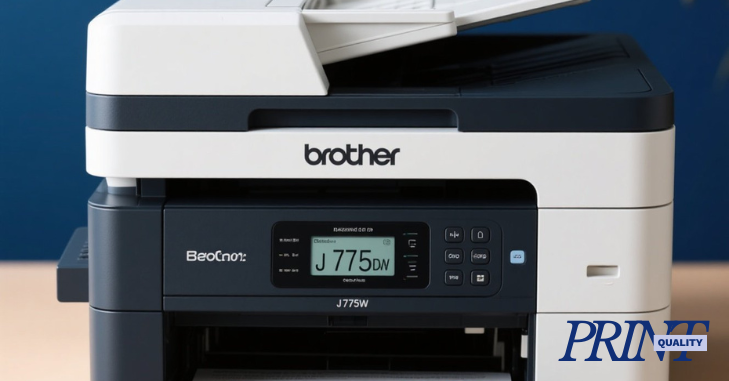
One of the standout features of the Brother MFC-J775DW is its print quality, which is often a deciding factor for users.
Text Quality
The printer excels at producing sharp and clear text documents. Text prints are crisp, with well-defined edges, making it suitable for professional documents, reports, and proposals. The use of Brother’s innovative ink technology ensures that text remains smudge-resistant and water-resistant.
Color Output
Color prints are vibrant and rich, with accurate color reproduction. The printer uses a four-color ink system (cyan, magenta, yellow, and black) to create a broad spectrum of colors. Photographs and graphics display excellent detail and clarity, making the MFC-J775DW a great choice for printing images, brochures, and marketing materials.
Print Speed
Print speed is another critical factor for users, especially in a busy office environment. The MFC-J775DW offers respectable print speeds, achieving up to 12 pages per minute (ppm) for black and white documents and up to 10 ppm for color prints. While these speeds are competitive, they may not match the performance of some laser printers, but they are satisfactory for most home and small office tasks.
Borderless Printing
The MFC-J775DW supports borderless printing for various media sizes, allowing users to create stunning prints without white margins. This feature is particularly useful for photographers and graphic designers who want to showcase their work in its entirety.
Connectivity Options
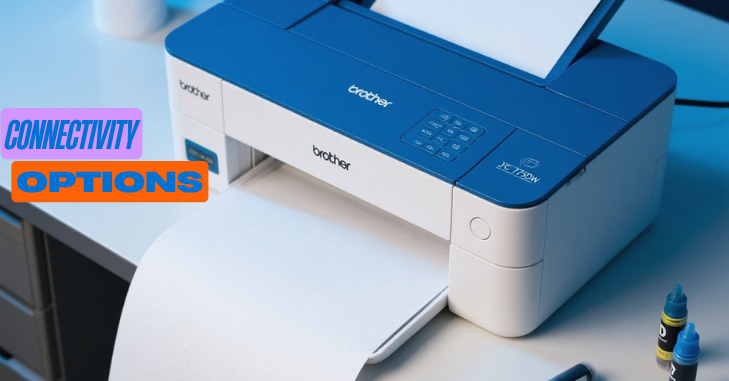
In today’s digital age, connectivity is a crucial aspect of any printer. The Brother MFC-J775DW offers a range of connectivity options to accommodate various user preferences.
Wired Connectivity
For traditional setups, the MFC-J775DW includes a USB 2.0 port, allowing users to connect directly to a computer. This wired connection ensures a stable and reliable link, particularly for users who print large documents frequently.
Wireless Connectivity
The printer supports Wi-Fi connectivity, enabling users to print wirelessly from their computers, smartphones, and tablets. Setting up the wireless connection is straightforward, thanks to the printer’s guided setup process. Users can connect to their home network quickly and begin printing without the need for cables.
Mobile Printing
The Brother MFC-J775DW is compatible with various mobile printing solutions, including:
- Brother iPrint&Scan: A free app that allows users to print and scan from their mobile devices.
- Apple AirPrint: Enables iPhone and iPad users to print directly from their devices without additional software.
- Google Cloud Print: Allows printing from anywhere via the cloud, making it convenient for users who are frequently on the go.
Network Functionality
The printer supports Ethernet connectivity, making it an excellent option for small offices with multiple users. With Ethernet, multiple devices can connect to the printer simultaneously, enhancing productivity.
Additional Features
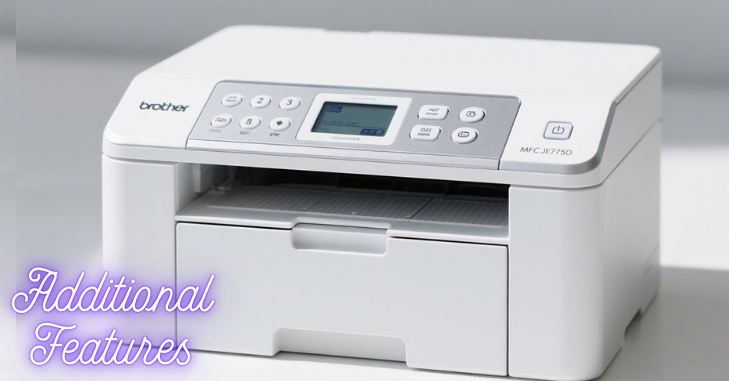
The MFC-J775DW features a 20-sheet automatic document feeder, allowing users to scan, copy, or fax multi-page documents efficiently. This feature saves time and effort, particularly for tasks that require multiple pages. The printer offers high-quality scanning and copying capabilities. The flatbed scanner provides a maximum optical resolution of up to 2400 x 1200 dpi, ensuring that scanned documents and images maintain their quality.
While faxing may not be as commonly used today, the MFC-J775DW includes built-in fax functionality, allowing users to send and receive faxes directly from the printer. This feature can be particularly useful for businesses that still rely on fax communication. The Brother MFC-J775DW is designed with energy efficiency in mind. It is Energy Star certified, which means it meets strict energy efficiency guidelines set by the Environmental Protection Agency (EPA).
This certification not only helps reduce energy consumption but can also lead to cost savings on utility bills. One of the significant advantages of the MFC-J775DW is its cost-effective printing solution. The printer utilizes high-yield ink cartridges, which can print more pages than standard cartridges.
User Experience
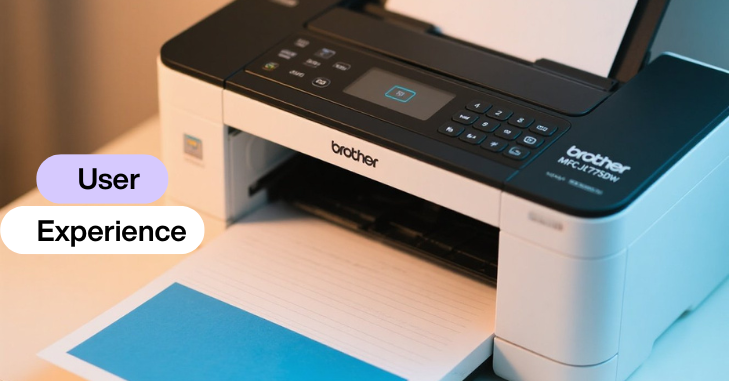
User experience plays a crucial role in determining a printer’s overall value. The Brother MFC-J775DW has received positive feedback from users regarding its ease of use and reliability.
Setup Process
The initial setup process is relatively straightforward. Users can follow the step-by-step instructions provided in the user manual or the on-screen prompts on the control panel. The wireless setup is particularly user-friendly, with guided assistance for connecting to Wi-Fi networks.
Software and Drivers
Brother provides a user-friendly software suite that includes drivers and utilities for managing the printer. The software allows users to customize settings, check ink levels, and perform maintenance tasks. Additionally, Brother regularly updates its drivers to ensure compatibility with the latest operating systems.
Customer Support
Brother is known for its reliable customer support. Users can access online resources, including FAQs, troubleshooting guides, and video tutorials. Additionally, customers can reach out to Brother’s support team via phone or online chat for assistance with any issues they may encounter.
Conclusion
The Brother MFC-J775DW is a well-rounded all-in-one printer that meets the needs of home and small office users alike. Its combination of design, build quality, print quality, and connectivity options makes it a versatile tool for various printing tasks. With its user-friendly features, cost-effective printing, and reliable performance, the MFC-J775DW stands as a commendable option in the competitive inkjet printer market.
Whether you need to print documents, scan images, or send faxes, the Brother MFC-J775DW delivers on all fronts, making it a valuable addition to any workspace. Its balance of functionality, efficiency, and affordability ensures that it remains a popular choice for those seeking a dependable multifunction printer.
Want to know about The Ultimate Guide to the Best Laptops for Working from Home Check out our Tech category.
FAQs
Customers enjoy the MFC-L2750DW’s excellent print quality, ease of use, and wireless functionality. Many appreciate its straightforward setup and the value for its price. Positive feedback also highlights the printer’s reliability and quiet operation. The scanner is also frequently praised for its capabilities.
The MFC-7860DW offers print, scan, copy, and fax capabilities in one compact multifunction unit. Fast, high-quality 2-sided prints, combined with low running costs and network connectivity, make this the perfect solution for small office workgroups.
The following is a guide for interpreting the serial number of the Brother printer. The seventh alpha character of the serial number indicates the month of production, and the eighth digit of the serial number indicates the year of production.